
Are you trying to decide between the Asus ROG Strix Z370-E Gaming and the Asus ROG Strix Z370-F Gaming?
Product Versus will provide you with all the product details so you can quickly compare the facts to find which product is right for you – the Asus ROG Strix Z370-E Gaming or the Asus ROG Strix Z370-F Gaming – and find out exactly what the differences are.
Both the Asus ROG Strix Z370-E Gaming and the Asus ROG Strix Z370-F Gaming are quality products, so read on to find out which one is best for your needs!
Asus ROG Strix Z370-E Gaming quick facts
Asus ROG Strix Z370-F Gaming quick facts
Asus ROG Strix Z370-E Gaming product details

- 64GB DDR4
- ATX form factor
- Ports: 2 x USB3.1 Gen2 (Type-A) , 8 x USB3.1 Gen 1, 6 x USB2.0, 1 x PS/2 keyboard, 1 x DVI, 1 x HDMI, 1 x LAN(RJ45), 2 x USB3.1 Gen2, 2 x USB2.0, 4 x USB3.1 Gen1, 1 x Optical S/PDIF out, 5 x Audio jacks
- LGA1151 socket for 8th-gen Intel Core desktop processors
- Backed by 3 years manufacturers warranty
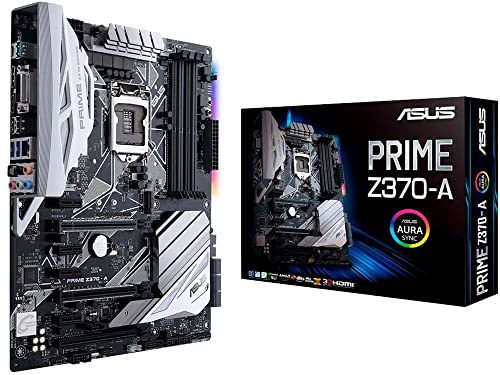
- Designed exclusively for 8th generation Intel Core processors to maximize connectivity and speed with Dual M.2, USB 3.1 Gen2, Intel Thunderbolt 3 support and Intel Optane Memory compatibility
- 5-Way Optimization with Auto-Tuning and FanXpert 4 automatically tailors overclocking profiles to your unique build for maximum OC performance and dynamic system cooling
- Unmatched Personalization with ASUS exclusive AURA Sync RGB lighting, additional RGB header and 3D-printing mounts; Supports DisplayPort with max. resolution 4096 x 2304 @ 60 Hz
- Two Patent-pending Safe Slots feature an injection molding process that integrates metal framing for a stronger, firmly anchored PCIe slot built for heavyweight GPUs ; 4-pin PWM/DC fan
- Industry-leading 8-channel HD audio enhanced by ASUS exclusive Realtek S1220A featuring Crystal Sound 3 and driven by Japanese capacitors for warm, immersive sound
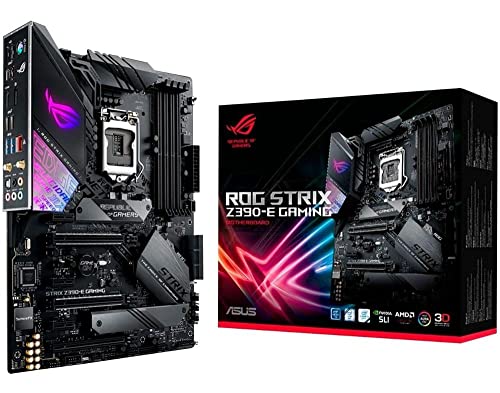
- Designed for 9th 8th Generation Intel Core processors maximize connectivity and speed with Dual M. 2, USB 3. 1 Gen 2, onboard 802. 11AC Wi-Fi and ASUS optimum II for better DRAM overclocking stability
- Revamped 5-way Optimization overclocks Intelligently based on smart prediction and thermal telemetry while FanXpert 4 delivers dynamic system cooling
- Gamer's Guardian ensures component longevity with safe Slot, ESD guards and DRAM overcurrent protection
- Pre-mounted I/O shield ensures streamlined installation and represents ROG's attention to detail and quality
Asus ROG Strix Z370-F Gaming product details
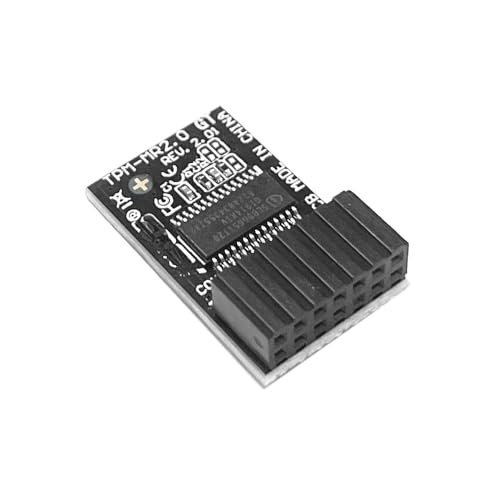
- TPM-M R2.0 14pin-1;LPC 2.0;Chipset:SLB9665 Securely Bus Header Key Compatible with ASUS ROG STRIX B350-F、ROG STRIX B360-G 、ROG STRIX B360-H、 ROG STRIX B360-F 、ROG STRIX B365-F、ROG STRIX B365-G 、ROG STRIX X370-F、ROG STRIX Z370-H 、ROG STRIX Z370-F 、ROG STRIX Z370-F 、ROG STRIX Z370-E 、ROG STRIX H370-F GAMING、PRIME Z270-A
- Important: The minimum hardware requirements for upgrading to Windows 11 via TPM 2.0 are as follows: 1 GHz or faster 64-bit processor (dual-core/multi-core), 4 GB of memory, 64 GB of storage space, firmware that supports UEFI Secure Boot and TPM 2.0, DirectX 12-compatible graphics card, and a display with a resolution of 720p or higher.
- Purpose a: Resolve the TPM 2.0 verification issue when upgrading to Windows 11, enabling it to function as an independent encryption chip, providing secure storage for sensitive data, and enhancing security;
- Use b: Hardware encryption acceleration, such as improving game lag issues and other functions.
- Easy Installation: The installation process is extremely straightforward. Simply locate the 14-pin connector labeled “TPM” or “LPC” on your for ASUS ROG STRIX motherboard while the system is completely powered off. Align the module correctly and insert it into the socket. No additional drivers are required. After enabling the TPM feature in the motherboard BIOS, the operating system will automatically recognize the module, delivering a true plug-and-play experience.
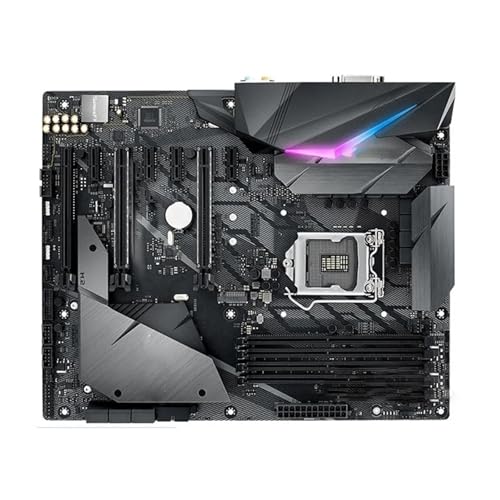
- Comprehensive connectivity: Unleash your gaming potential, the motherboard features upgraded power settings, high-level storage standards, and excellent connectivity, allowing you to optimize performance
- Powerful power transmission: The proprietary wiring layout allows the memory kit to operate at higher frequencies and lower voltages, thereby maximizing system performance.
- DIY friendly design: equipped with multiple temperature sensors and supporting intelligent fan control technology
- Q-Flash Plus: Easily upgrade BIOS without installing CPU, RAM, or GPU
- Network optimization: Integrated with 2.5G or 10G network cards, some motherboards are equipped with network optimization software, which can intelligently allocate bandwidth and reduce game latency.

- ● 2.4G/5.8G/6G WiFi6e Tri-Band antenna ; ● Impedance:50Ω、Gain:9dBi , ● Direction:Omni-directional, 360-degree coverage ● Application Condition Operating Temperature:-40°С ~ +70°С ,● Double RP-SMA Connector, Cable length 80cm, Support Bluetooth, Support various PCI-E wireless network cards. ● Tri-band extension cable antenna with magnetic attraction. ● Maximum Wireless Data Rate :1Gbps MPN: 14008-02650600 14008-02650000 (If your motherboard is a WiFi 7 device, this antenna may not work for you.)
- For ASUS ROG B560/B660, H610/H670, M13H/M12/M11, Z690/Z790/Z490/X570 and other motherboard wireless network cards dedicated dual-band antenna, 2T2R multi-band antenna. FOR ASUS, FOR Gigabyte, FOR MSI, FOR ASRock, FOR Biostar, Colorful and other motherboards with WIFI version, as long as they have 2 SMA inner pin ports, they can be adapted to use. ●Network Connectivity: Wireless-Wi-Fi 802.11a, Wireless-Wi-Fi 802.11ac, Wireless-Wi-Fi 802.11b, Wireless-Wi-Fi 802.11g, Wireless-Wi-Fi 802.11n ●Tri band WiFi: 2.4g(2400-2500MHz)/5.8g(5150-5850MHz)/6g(5900-7125MHz); Support 802.11 b/g/n/ac/ax/wifi 6/wifi 6e;tri band antenna
- Support Wi-Fi 6E: the new 6 GHz band can bring more bandwidth, faster speeds, lower latency and less interference; perfect for online gaming and streaming 4K/8K video. Improve Signal Reception: Enhance the speed and stability of your Wi-Fi/Bluetooth connection, ensuring no network drops even when using multiple devices simultaneously.● Note: To get the best signal possible, we recommend trying to place the antenna in different locations and adjusting the stub in multiple directions.
- Models (More detailed models are in the description, please double check your model ) :
Wifi 6E Antenna For ASUS ROG STRIX Z590, Z690 Z790 X570 X670E H610 H670 B550M B560M B660 B650 B650E series GAMING WIFI
Wifi 6E Antenna For ASUS ROG MAXIMUS Z690 Z790 /MAXIMUS X ,XII , XIII EXTREME / MAXIMUS XIII HERO
Wifi 6E Antenna For ASUS ROG CROSSHAIR VII, VIII EXTREME/ CROSSHAIR X670E HERO // For Intel : NUC13RNGi9、 NUC13SBBi9 - Models (More detailed models are in the description, please double check your model ) :
Wifi 6E Antenna For ASUS ROG Rampage VI Extreme Encore X299-E
Wifi 6E Antenna For ASUS ProArt X570 Z690 X670E series CREATOR WIFI
Wifi 6E Antenna For ASUS TUF GAMING X570-PRO WIFI II / TUF GAMING Z690-PLUS WIFI D4/TUF GAMINGZ690-PLUS WIFI
Wifi 6E Antenna For MSI B650 Z690 B760 Z590 Z690 Z490 series
Wifi 6E Antenna For GIGABYTE Z690 Z590 X570S X570I X570 B550 B560 B560L B760series
New products & alternatives to the Asus ROG Strix Z370-E Gaming and the Asus ROG Strix Z370-F Gaming
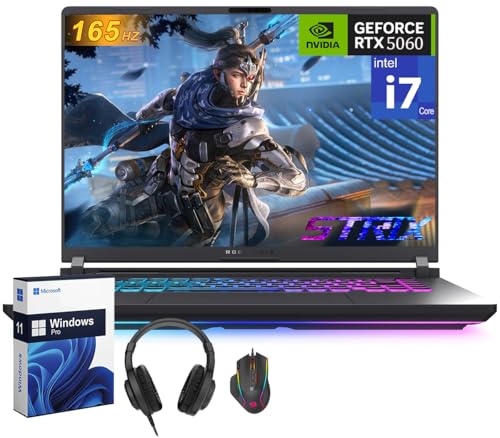
- Intel Core i7 14650HX Processor: ASUS TUF F16 is equipped with the latest 14th Gen Intel Core i7-14650HX processor (16-core) with 30MB cache, 5.2GHz clock speed, and 16-core processor, providing excellent speed and performance for gaming, streaming, and intensive multitasking
- NVIDIA GeForce RTX 5060 GPU: Maximize gaming with an NVIDIA GeForce RTX 5060 laptop GPU, with a max TGP of 115W. Game-changing features like DLSS 4 and ray racing technology bring game graphics to life by simulating sunlight and creating a realistic environment for an immersive gaming experience
- Cooling Technology: Stay cool and quiet with ROG Intelligent Cooling. Tri-fan airflow, vapor chamber, and liquid metal ensure sustained peak performance for both gaming and creative workloads.
- Internal Specifications: Dominate any game with 32 GB of blazing-fast DDR5 5600MHz RAM, Expansive 1 TB PCIE 4.0 SSD storage, Load games and projects instantly with PCIe Gen 4 storage, delivering up to 7,000MB/s throughput and efficient cooling. Stay ahead with PCIe Gen 5-ready SSD slots, ensuring easy upgrades and future-proof performance
- Windows 11 Pro & Copilot-AI:
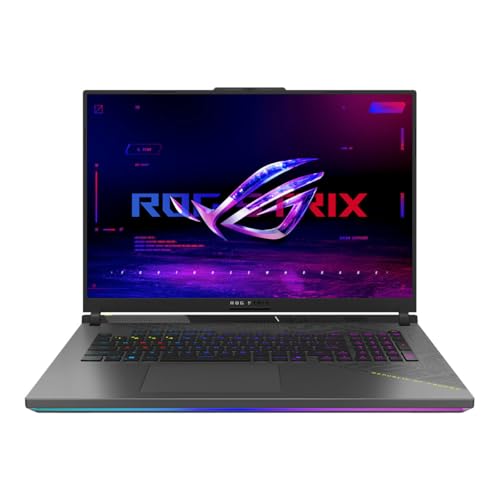
- PERFORMANCE REDEFINED – Experience next-level performance with Windows 11, an AMD Ryzen 9 9955HX processor, and an NVIDIA GeForce RTX 5060 Laptop GPU, powered by the NVIDIA Blackwell architecture and featuring DLSS 4 and Max-Q technologies.
- HIGH-PERFORMANCE MEMORY AND STORAGE – Multitask seamlessly with 16GB of DDR5-5600MHz memory and store all your game library on 2TB of PCIe Gen 4 SSD.
- DYNAMIC DISPLAY – Immerse yourself in stunning visuals with the ultra-fast 144Hz/3ms display for gaming, creation, and entertainment. Featuring a new ACR film that enhances contrast and reduces glare.
- STATE-OF-THE-ART ROG INTELLIGENT COOLING – ROG’s advanced thermals keep your system cool, quiet and comfortable. State of the art cooling equals best in class performance. Featuring tri-fan technology and Conductonaut extreme liquid metal applied to the chipset delivers fast gameplay.
- CUSTOMIZEABLE RGB LIGHTBAR – Showcase your style with a surround RGB light bar that syncs with your keyboard and ROG peripherals. In professional settings, Stealth Mode turns off all lighting for a sleek, refined look.
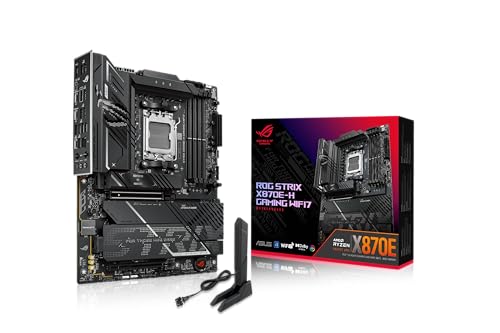
- Ready for Advanced AI PCs: Designed for the future of AI computing, with the power and connectivity needed for demanding AI applications
- AMD AM5 Socket: Ready for AMD Ryzen 9000, 8000 and 7000 series desktop processors
- Robust Power Solution: 16+2+1 power solution rated for 80A per stage with dual ProCool II power connectors, high-quality alloy chokes and durable capacitors to support multi-core processors
- Intelligent Control: ASUS-exclusive AI Advisor, AI Cache Boost, AI Networking II and AEMP to simplify setup and improve performance
- Optimized Thermal Design: Massive heatsinks with integrated I/O cover, and high-conductivity thermal pad
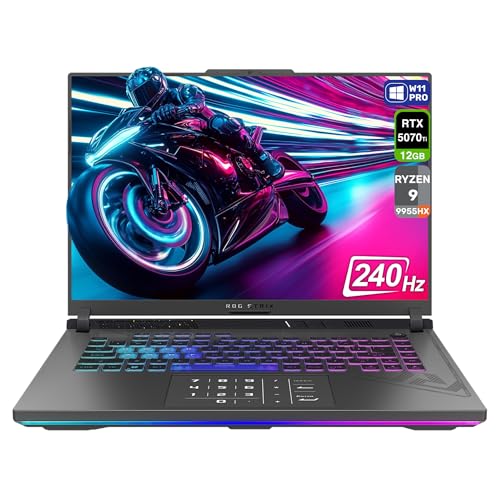
- 【Instant Gratification】Overview Unlock a next-level gaming experience with the ROG Strix G16. Featuring a 2.5K 240Hz Nebula Display with Pantone-validated color accuracy, it delivers stunning visuals. Powered by an AMD Ryzen 9 9955HX Processor and NVIDIA GeForce RTX 5070 Ti GPU, enjoy seamless gaming and creative performance. The esports-ready keyboard, Dolby Atmos audio, and per-key RGB lighting elevate every moment.
- 【Processor & Operating System】AMD Ryzen 9 9955HX Processor 2.5GHz (80MB Cache, up to 5.4GHz, 16 cores, 32 Threads) & Windows 11 Pro
- 【Display】2.5K (2560 x 1600, WQXGA) 16:10 aspect ratio IPS-level Anti-glare display - DCI-P3: 100% - Response Time: 3ms Pantone Validated - Support Dolby Vision HDR : Yes
- 【Graphics】NVIDIA GeForce RTX 5070 Ti Laptop GPU ROG Boost: 1565MHz at 140W (1515MHz Boost Clock+50MHz OC, 115W+25W Dynamic Boost) 12GB GDDR7
- 【Tech Specs】1x 3.5mm Combo Audio Jack, 1x HDMI 2.1 FRL, 2x USB 3.2 Gen 2 Type-A, 1x RJ45 LAN port 1x Type-C USB 4 with support for DisplayPort / power delivery / G-SYNC (data speed up to 40Gbps), 1x Type-C USB 4 with support for DisplayPort / G-SYNC (data speed up to 40Gbps), Wi-Fi 6E(802.11ax) (Triple band) 2*2 + Bluetooth 5.3 Wireless Card (*Bluetooth version may change with OS version different.)
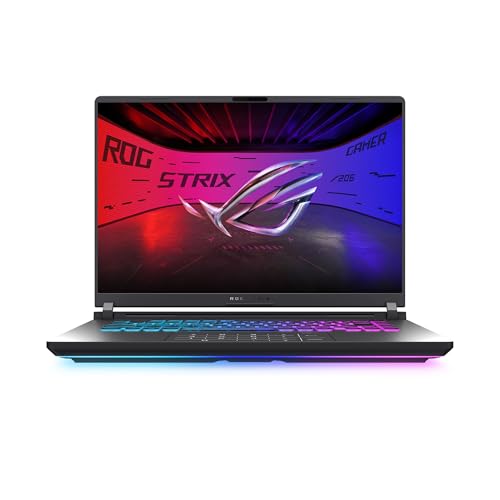
- CUTTING-EDGE PERFORMANCE – Experience next-level performance with Windows 11 Home, an AMD Ryzen 9 9955HX Processor, and an NVIDIA GeForce RTX 5070 Laptop GPU powered by the NVIDIA Blackwell architecture and featuring DLSS 4 and Max-Q technologies.
- HIGH-PERFORMANCE MEMORY AND STORAGE – Multitask seamlessly with 32GB of DDR5-5600MHz memory and store your game library on 1TB of PCIe Gen 4 SSD.
- PREMIUM ROG NEBULA DISPLAY – Immerse yourself in stunning visuals with the ROG Nebula Display, the ultra-fast 240Hz/3ms display for gaming, content creation, and entertainment. Featuring a new ACR film that enhances contrast and reduces glare.
- STATE-OF-THE-ART ROG INTELLIGENT COOLING – ROG’s advanced thermals keep your system cool, quiet and comfortable. State of the art cooling equals best in class performance. Featuring Tri-Fan technology, full-width heatsink, and full-surround vents.
- CUSTOMIZABLE RGB LIGHTBAR – Showcase your style with a customizable RGB light bar that syncs with your keyboard and ROG peripherals. In professional settings, Stealth Mode turns off all lighting for a sleek, refined look.
Our conclusion on the Asus ROG Strix Z370-E Gaming vs Asus ROG Strix Z370-F Gaming
Both the Asus ROG Strix Z370-E Gaming and the Asus ROG Strix Z370-F Gaming are high quality products and we are sure you will be happy with either one. In the end it comes down to your budget and the value for money you are looking for.
Either way, the Asus ROG Strix Z370-E Gaming and the Asus ROG Strix Z370-F Gaming are both excellent products that will more than do their job!